
TiviMate IPTV setup guide
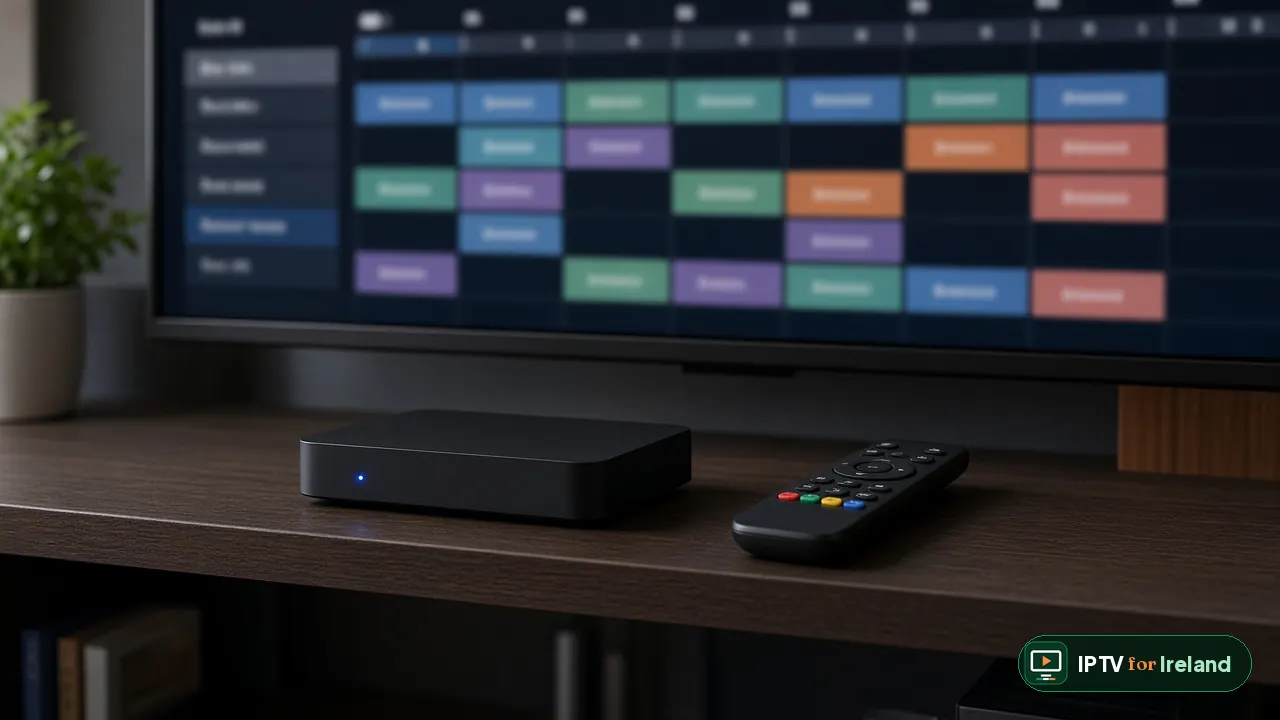
TiviMate is the favourite IPTV player of many Irish viewers on Android TV, Google TV and Fire TV Stick. It looks and feels like a traditional set-top box, with a proper channel grid, catch-up and recording. This guide covers installing it, adding your login and getting the most out of its features.
On this page
- Why Irish viewers like TiviMate
- Installing TiviMate
- Adding your login
- Setting it up like a proper TV
- Catch-up
- Recording
- Playback settings for sport
- Multi-view
- Premium: is it worth it?
- Common problems
- Independent app
- Making TiviMate your TV's main screen
- Using two playlists
- Backing up your settings
- Guide display options
- Reminders
Why Irish viewers like TiviMate
TiviMate is designed to look and behave like the TV boxes people have used for years. Press the up and down buttons to change channel, press the centre to bring up the guide, scroll back to catch up. For households moving from cable or satellite, it makes the change painless. It is also quick, stable and very customisable.
Installing TiviMate
- Android TV and Google TV (Sony, Philips, TCL, Hisense, Google TV Streamer and most Android boxes): open Google Play on the TV, search for TiviMate and install it.
- Fire TV Stick: TiviMate is installed using the Downloader app. Our Fire TV Stick guide explains each step.
Message us on WhatsApp for the current code.
We have not published a Downloader code here yet. Ask us and we reply with the current code and the matching install steps for your Fire TV model.Adding your login
- Open TiviMate and choose Add playlist.
- Choose Xtream Codes. It is the best option, because it brings the guide, catch-up, films and series together.
- Enter the server address exactly as we sent it, including "http://" and the port number if given.
- Enter your username and password, then choose Next.
- TiviMate checks the login and shows how many channels, films and series it found. Choose Next.
- When asked about the TV guide, accept the guide link it found automatically, then choose Next.
- Give the playlist a name, for example "IPTV Ireland", and choose Done.
The channels load immediately and the guide fills in over a few minutes.
Setting it up like a proper TV
Favourites. Long-press a channel and choose Add to favourites. Favourites appear as their own group at the top.
Hide groups. Go to Settings > Playlists, choose your playlist and Manage groups. Untick groups you never watch. Your list shrinks to a manageable size.
Channel order and numbers. In the same menu you can reorder groups and channels. Put the Irish group first and arrange the channels so channel 1 is the one you watch most.
Start-up channel. In Settings > General, choose to open the last watched channel when TiviMate starts, so the TV behaves like a normal set-top box.
Parental control. Under Settings > Parental control, set a PIN and lock the groups and settings you want protected.
Catch-up
On channels with catch-up, a small icon appears in the guide. Scroll left in the guide to a programme that already aired, press it and choose Play. You can pause, rewind and fast-forward just as you would with a recording. For Irish viewers abroad, catch-up turns early-morning or late-night matches into comfortable viewing.
Recording
With TiviMate Premium you can record a programme from the guide: press it and choose Record. For a series, choose to record every episode. Recordings are saved to the device storage or to a USB drive set in Settings > Recording. Fire TV Sticks have limited storage, so a USB drive connected through an adapter, or an Android box with a USB port, is better for regular recording.
Playback settings for sport
- AFR (automatic frame-rate matching): under Settings > Playback, turn on AFR so the TV switches to the right refresh rate. Sport and films look smoother.
- Buffer size: increase the buffer if you see short freezes on a slightly weak connection.
- Decoder: if a channel stutters or the picture is black, try switching between hardware and software decoding.
- Audio: if you use a soundbar, check passthrough settings for surround sound.
Multi-view
TiviMate Premium can show several channels on screen at once, which is useful on big sporting days. Each stream uses one connection, so on a one-connection plan you can only play one at a time. With two or three connections, multi-view lets you follow two or three matches side by side.
Premium: is it worth it?
The free version of TiviMate is fine for live TV and the guide. Premium adds catch-up, recording, multi-view, several playlists, more customisation and use on several devices. For most regular users it is worth the small cost, which is paid to the app's developer through their companion app. Our plan covers the channels; it does not include TiviMate Premium.
Common problems
- "Error 401" or "Unauthorised". The username or password is wrong, or a space slipped in. Re-enter them carefully.
- The guide shows "No information". Go to Settings > EPG and press Update EPG. Check the device time zone is correct.
- Films and series are missing. Make sure you added an Xtream Codes playlist, not just an M3U link.
- Buffering. Use a network cable, restart the router and device, and see our buffering guide.
- Recordings fail. Check the recording folder exists and the storage has free space.
Independent app
TiviMate is developed by an independent developer and is not made or sold by IPTV for Ireland. App names are used only to describe compatibility.
Making TiviMate your TV's main screen
On many Android TV and Google TV devices, you can set TiviMate to open automatically when the device starts, so switching on the TV takes you straight to live channels, just like a set-top box. Look in Settings > General > Auto start on boot in TiviMate. Combined with the option to open the last channel, it gives older relatives a very simple experience: turn on the TV and the news is on.
Using two playlists
If you have a free trial and then buy a plan, you may end up with two playlists. TiviMate Premium can hold several playlists, but it is simpler to delete the trial playlist once your plan is active, or ask us to upgrade the trial login so nothing changes. If two playlists both contain the Irish group, favourites can get confusing.
Backing up your settings
After you have spent time arranging favourites, hiding groups and ordering channels, back up TiviMate's settings in Settings > Backup data. Save the backup to the device storage or a USB drive. If you ever need to reinstall the app or move to a new device, restoring the backup brings back your arrangement in seconds.
Guide display options
TiviMate offers several looks for the guide: the classic grid, a list with channel previews and a compact mode. Try them in Settings > Appearance. Many people prefer the grid with channel logos and a slightly larger font for viewing from the sofa. You can also show the programme progress bar and the time remaining, which is useful for knowing how long is left in a match.
Reminders
Press a future programme in the guide and choose Set reminder. TiviMate shows a notification just before it starts and can switch channel for you. It is a simple way to make sure you do not miss a throw-in.










IPTV for Ireland plans and prices
Each plan opens every channel and the full on-demand library. Choose the length and the number of screens, then pay once in GBP.
1 month · 1 screen
£10.99
£10.99 a month
Shortest commitment
- 44,000+ live channels
- 186,000+ movies · 12,000+ series
- Irish, UK, US, sport, international and kids' channels
- HD, FHD and 4K
- EPG TV guide and catch-up
- Smart TV, Fire TV, Android, Apple TV, iPhone, PC, MAG, Formuler
- Stable anti-freeze servers
- Daily WhatsApp support
Pay by card or PayPal · login sent on WhatsApp
3 months · 1 screen
£22.99
£7.66 a month
Covers a full season
- 44,000+ live channels
- 186,000+ movies · 12,000+ series
- Irish, UK, US, sport, international and kids' channels
- HD, FHD and 4K
- EPG TV guide and catch-up
- Smart TV, Fire TV, Android, Apple TV, iPhone, PC, MAG, Formuler
- Stable anti-freeze servers
- Daily WhatsApp support
Pay by card or PayPal · login sent on WhatsApp
6 months · 1 screen
£34.99
£5.83 a month
Half a year sorted
- 44,000+ live channels
- 186,000+ movies · 12,000+ series
- Irish, UK, US, sport, international and kids' channels
- HD, FHD and 4K
- EPG TV guide and catch-up
- Smart TV, Fire TV, Android, Apple TV, iPhone, PC, MAG, Formuler
- Stable anti-freeze servers
- Daily WhatsApp support
Pay by card or PayPal · login sent on WhatsApp
12 months · 1 screen
£49.99
£4.16 a month
Lowest monthly rate
- 44,000+ live channels
- 186,000+ movies · 12,000+ series
- Irish, UK, US, sport, international and kids' channels
- HD, FHD and 4K
- EPG TV guide and catch-up
- Smart TV, Fire TV, Android, Apple TV, iPhone, PC, MAG, Formuler
- Stable anti-freeze servers
- Daily WhatsApp support
Pay by card or PayPal · login sent on WhatsApp
Streaming on 2 or 3 devices at once?
Same channels and library, more streams at the same time. Tap any price to start that order on WhatsApp.
| Connections | 1 month | 3 months | 6 months | 12 months |
|---|---|---|---|---|
| 1 connection | £10.99£10.99 a month | £22.99£7.66 a month | £34.99£5.83 a month | £49.99£4.16 a month |
| 2 connections | £15.99£15.99 a month | £31.99£10.66 a month | £49.99£8.33 a month | £69.99£5.83 a month |
| 3 connections | £19.99£19.99 a month | £41.99£13.99 a month | £62.99£10.49 a month | £86.99£7.24 a month |
All prices are in pounds sterling (GBP £) and are paid once. Nothing renews by itself and there is no contract, so you are never charged again unless you decide to extend. Every plan opens the same 44,000+ live channels, 186,000+ movies and 12,000+ series; only the length and the number of screens that can watch at once change. Not sure yet? Start with the free 24-hour trial. How the free trial works.
Questions Irish viewers ask
Is TiviMate free?
TiviMate has a free version with the basic features. Premium features such as catch-up, recording, multiple playlists and more customisation need a TiviMate Premium purchase from the developer, made through their companion app. That cost is separate from our plan.
Which devices run TiviMate?
Android TV and Google TV devices, Android TV boxes and Fire TV Sticks. It is not available on Samsung or LG Smart TVs, Apple TV or iPhone.
How do I add the TV guide?
When you add an Xtream Codes playlist, TiviMate offers to add the guide automatically. Accept it, and the guide loads in a few minutes.
Can TiviMate record?
Yes, with Premium. Recordings can be saved to the device's storage or a USB drive. On a Fire TV Stick, storage is limited, so a USB drive via an adapter, or an Android box with a USB port, is better for regular recording.
How does catch-up work in TiviMate?
On channels with catch-up, scroll back in the guide to a programme that already aired and press it to play from the start.
Can I use TiviMate on several devices?
Yes. Premium covers several devices on the same account, and the same IPTV login works on each. Your plan's connections decide how many play at once.
Does TiviMate show films and series?
Yes. With an Xtream Codes playlist, TiviMate shows the on-demand films and series in their own sections, with posters and descriptions, alongside live TV.
Why do channel logos not appear?
Logos load from the playlist and may take a little while the first time. If they still do not show, update the playlist in Settings > Playlists and restart the app.
Can I change the look of the channel list?
Yes. In Settings > Appearance you can change the size of the channel list, show or hide logos and numbers, and choose how much of the guide is visible at once.
Will TiviMate work on an older Android box?
Usually, if the box runs a reasonably recent Android TV version and has enough memory. Very old boxes with phone versions of Android may struggle; send us the model and we will tell you whether it is worth trying or whether a new stick is the better option.