
IPTV on iPhone and iPad
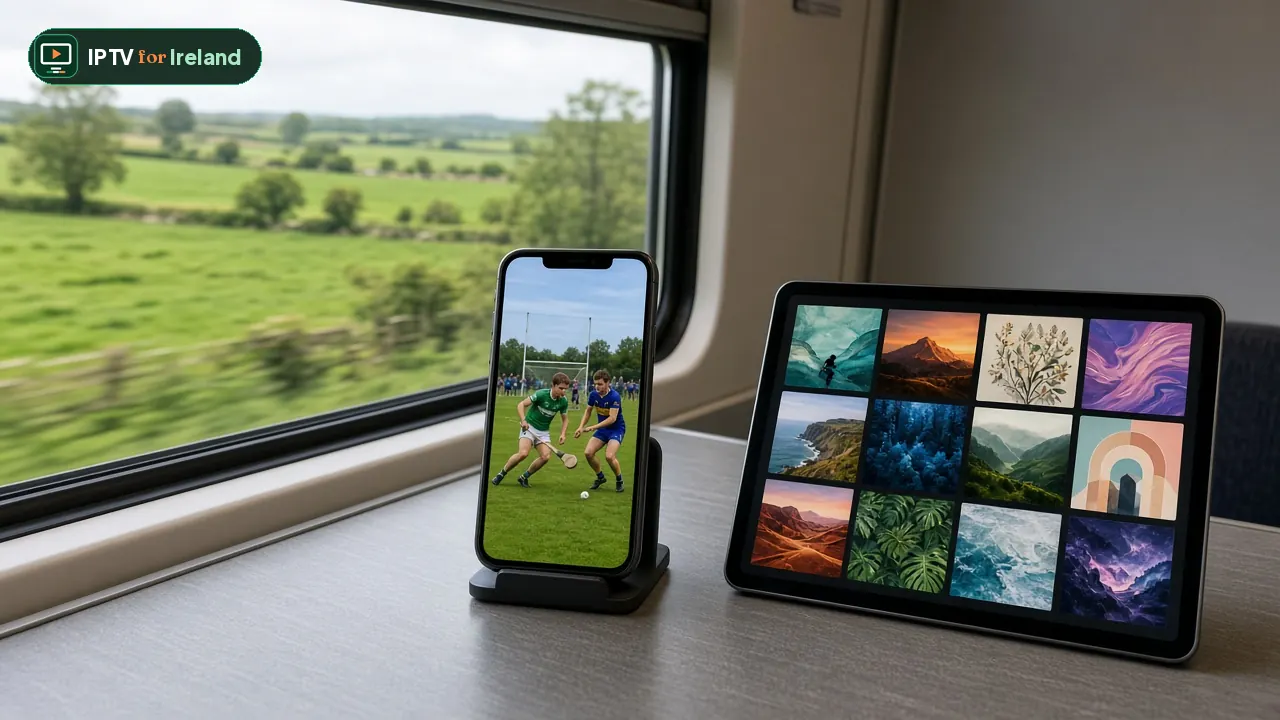
Your iPhone or iPad is the easiest way to watch IPTV anywhere: in the kitchen, in bed, on the train or on holiday. It is also the quickest way to test the free trial before setting up the main TV. This guide covers choosing an app, adding your login, saving mobile data and sending the picture to a TV.
On this page
- Why use IPTV on iPhone and iPad
- Step 1: Choose and install a player
- Step 2: Add your login
- Step 3: Set favourites and the guide
- Saving mobile data
- AirPlay to a TV
- Picture-in-picture
- iPad for families
- Common problems
- Using iPhone or iPad abroad
- Keeping the app running smoothly
- Help on WhatsApp
- Independent apps and brands
- Watching the free trial on your phone first
- Downloads and offline viewing
- Using headphones and AirPods
- Accessibility
- Tablets in the kitchen
Why use IPTV on iPhone and iPad
iPhones and iPads are ideal for IPTV. The screens are sharp, the apps are polished and you can watch anywhere with Wi-Fi or mobile data. Customers use them to:
- Test the free trial in a few minutes before setting up the TV.
- Keep a match on in the kitchen while dinner is cooking.
- Watch the news in bed without disturbing anyone.
- Follow sport on the commute or on a long train journey.
- Keep children entertained on a long car trip, with downloaded or live content.
Step 1: Choose and install a player
There is no official IPTV app from Apple, so you install a player from an independent developer:
| App | Good for | Things to know |
|---|---|---|
| IPTVX | Polished design on iPhone, iPad and Apple TV | Paid features |
| iPlayTV | Classic guide layout, works with Apple TV too | Paid app |
| GSE Smart IPTV | Many options and formats | Busier interface |
| UHF | Clean design, catch-up support | Optional subscription |
| Smarters Player Lite | Familiar layout | Fewer features than other platforms |
- Open the App Store.
- Search for the app name and tap Get or the price.
- Confirm with Face ID, Touch ID or your password.
Step 2: Add your login
- Open the app and choose Add playlist, Add provider or Xtream Codes.
- Enter the server address, username and password we sent.
- Save. The channels, guide, films and series load.
Tip: copy each detail from our WhatsApp message by pressing and holding it, then paste it into the app. It avoids typing errors, which are the most common cause of "invalid login" messages.
Step 3: Set favourites and the guide
- Add your favourite Irish channels to favourites.
- Hide groups you never watch.
- Check the guide loads; if not, refresh the EPG in the app settings.
- If you live abroad, check the app follows your iPhone's time zone.
Saving mobile data
Live TV uses a lot of data, so be careful away from Wi-Fi:
- Standard definition: roughly 0.7 to 1 GB an hour.
- HD: roughly 1.5 to 3 GB an hour.
- Full HD and 4K: considerably more.
Most apps let you choose a lower quality for mobile data. On iPhone, you can also turn off mobile data for the app in Settings > Mobile Data if you only want to watch on Wi-Fi. Irish mobile networks offer large and unlimited data plans, but check fair-use limits, especially when roaming outside the EU.
AirPlay to a TV
To show a channel on the TV, open the player, start the channel, tap the AirPlay icon and choose your Apple TV or AirPlay-compatible Smart TV. Many recent Samsung, LG, Sony and Philips TVs support AirPlay. It works well for a quick look, but the phone must stay on and nearby. For regular viewing, install a player on the TV or Apple TV.
Picture-in-picture
Several iPhone and iPad players support picture-in-picture: the video shrinks to a small window that floats over other apps while you check messages or browse. Look for the picture-in-picture button in the player or swipe up to go home while a channel plays.
iPad for families
iPads are popular with families as a second screen. With a two- or three-connection plan, a child can watch cartoons on the iPad while the adults watch the match on the TV. Use the app's parental PIN and Apple's Screen Time settings to limit what can be opened and for how long.
Common problems
- "Invalid login". Check for spaces and that the server address includes "http://" and the port.
- No sound. Check the iPhone is not in silent mode and the volume is up; some apps follow the silent switch.
- Buffering on Wi-Fi. Move closer to the router or restart it. Try lowering the quality.
- Buffering on mobile data. Signal varies, especially in rural areas and on trains. Lower the quality or wait for better coverage.
- The app closes in the background. iOS pauses video apps in the background unless picture-in-picture is used.
Using iPhone or iPad abroad
The same login works in most countries. Within the EU, Irish mobile plans include roaming at home rates within fair-use limits; outside the EU, roaming charges can be high, so use Wi-Fi. If you live abroad permanently, set your iPhone to the local time zone so the guide matches.
Keeping the app running smoothly
Restart the iPhone or iPad every so often, keep iOS up to date and make sure there is enough free storage. If the app becomes slow, remove and re-add the playlist, or delete and reinstall the app.
Help on WhatsApp
Send a screenshot to our WhatsApp; it is the quickest way for us to see what is happening. We answer every day, 9:00 am to 11:00 pm Irish time (Dublin).
Independent apps and brands
Apple, iPhone, iPad and app names are used only to describe compatibility. IPTV for Ireland is not connected to Apple or to any app developer.
Watching the free trial on your phone first
Many customers start the free trial on an iPhone, because it takes two minutes and needs no remote control or TV menus. Install a player, paste the login from our WhatsApp message, and within a few minutes you can check the Irish channels, open the guide, try a film and see how a live match looks on your broadband. Once you are happy, you can set up the TV with the same login. If you are on a one-connection trial, stop playback on the phone before you start on the TV.
Downloads and offline viewing
Some iPhone and iPad players can download films and series from the on-demand library for offline viewing, which is handy for flights and long journeys through areas with poor coverage. Availability depends on the app. Live channels cannot be downloaded, but catch-up on selected channels lets you watch earlier programmes whenever you have a connection again.
Using headphones and AirPods
Most player apps work with AirPods and Bluetooth headphones, which is ideal for watching late at night without waking the house. If the sound seems slightly out of step with the picture on Bluetooth headphones, try another internal player in the app settings, or switch to wired headphones for live sport.
Accessibility
iPhone and iPad accessibility features work with most players. Subtitles appear where the stream or film carries them, the text size of menus follows your system settings in many apps, and Zoom and VoiceOver help with navigation. For older relatives, an iPad with larger text, a few favourites and the app on the first home screen makes IPTV very approachable.
Tablets in the kitchen
A tablet on a stand in the kitchen is one of the most popular second screens in Irish homes. It keeps the news or a match on while you cook, and it needs no aerial socket, no extra box and no cables across the floor. Remember it uses one connection while playing.










IPTV for Ireland plans and prices
Each plan opens every channel and the full on-demand library. Choose the length and the number of screens, then pay once in GBP.
1 month · 1 screen
£10.99
£10.99 a month
Shortest commitment
- 44,000+ live channels
- 186,000+ movies · 12,000+ series
- Irish, UK, US, sport, international and kids' channels
- HD, FHD and 4K
- EPG TV guide and catch-up
- Smart TV, Fire TV, Android, Apple TV, iPhone, PC, MAG, Formuler
- Stable anti-freeze servers
- Daily WhatsApp support
Pay by card or PayPal · login sent on WhatsApp
3 months · 1 screen
£22.99
£7.66 a month
Covers a full season
- 44,000+ live channels
- 186,000+ movies · 12,000+ series
- Irish, UK, US, sport, international and kids' channels
- HD, FHD and 4K
- EPG TV guide and catch-up
- Smart TV, Fire TV, Android, Apple TV, iPhone, PC, MAG, Formuler
- Stable anti-freeze servers
- Daily WhatsApp support
Pay by card or PayPal · login sent on WhatsApp
6 months · 1 screen
£34.99
£5.83 a month
Half a year sorted
- 44,000+ live channels
- 186,000+ movies · 12,000+ series
- Irish, UK, US, sport, international and kids' channels
- HD, FHD and 4K
- EPG TV guide and catch-up
- Smart TV, Fire TV, Android, Apple TV, iPhone, PC, MAG, Formuler
- Stable anti-freeze servers
- Daily WhatsApp support
Pay by card or PayPal · login sent on WhatsApp
12 months · 1 screen
£49.99
£4.16 a month
Lowest monthly rate
- 44,000+ live channels
- 186,000+ movies · 12,000+ series
- Irish, UK, US, sport, international and kids' channels
- HD, FHD and 4K
- EPG TV guide and catch-up
- Smart TV, Fire TV, Android, Apple TV, iPhone, PC, MAG, Formuler
- Stable anti-freeze servers
- Daily WhatsApp support
Pay by card or PayPal · login sent on WhatsApp
Streaming on 2 or 3 devices at once?
Same channels and library, more streams at the same time. Tap any price to start that order on WhatsApp.
| Connections | 1 month | 3 months | 6 months | 12 months |
|---|---|---|---|---|
| 1 connection | £10.99£10.99 a month | £22.99£7.66 a month | £34.99£5.83 a month | £49.99£4.16 a month |
| 2 connections | £15.99£15.99 a month | £31.99£10.66 a month | £49.99£8.33 a month | £69.99£5.83 a month |
| 3 connections | £19.99£19.99 a month | £41.99£13.99 a month | £62.99£10.49 a month | £86.99£7.24 a month |
All prices are in pounds sterling (GBP £) and are paid once. Nothing renews by itself and there is no contract, so you are never charged again unless you decide to extend. Every plan opens the same 44,000+ live channels, 186,000+ movies and 12,000+ series; only the length and the number of screens that can watch at once change. Not sure yet? Start with the free 24-hour trial. How the free trial works.
Questions Irish viewers ask
Which IPTV app is best for iPhone and iPad?
Popular choices include IPTVX, iPlayTV, GSE Smart IPTV, UHF and Smarters Player Lite. Some are free with optional upgrades, others are paid. We recommend one based on what you need.
How much mobile data does IPTV use?
Roughly 0.7 to 1 GB an hour in standard quality, 1.5 to 3 GB an hour in HD and more in Full HD. On limited data plans, use Wi-Fi or lower the quality.
Can I watch on my phone while someone uses the TV?
Yes, if your plan has two or three connections. On a one-connection plan, only one device can play at a time.
Can I send the picture to my TV?
Yes. Many apps support AirPlay to an Apple TV or an AirPlay-compatible Smart TV. For regular TV viewing, a player app on the TV itself is more reliable.
Does it work abroad?
Yes. The same login works on your iPhone or iPad in most countries. Check roaming data charges, and set the guide to local time if the app allows it.
Do I need a newer iPhone?
Most player apps need a reasonably recent version of iOS or iPadOS. If your device is several years old, check the app's requirements in the App Store before buying.
Can I watch on an iPad and an iPhone at the same time?
Yes, on a two- or three-connection plan. Each device that plays at the same time uses one connection.
Why does the stream stop when I lock my iPhone?
iOS pauses most video apps when the screen locks or the app goes to the background. Use picture-in-picture where the app supports it, or keep the screen on while watching. Some apps continue the sound in the background when this option is enabled in their settings.